Claude Code 个人食用姿势 - 从 Coding 到 Vibe Coding
基础原理
Agent
MCP
Skills
常用命令
VSCode插件使用
下载【Claude Code for VS Code】扩展插件,该 2.0 更新后引入了强制登录验证,阻止用户在未登录情况下使用本地路由进行模型调用。如果是使用中转代理,则通常需要绕过官方登录使用并通过 Claude Code Router (CCR) 将 Claude 插件接入任意你选择的大模型服务。
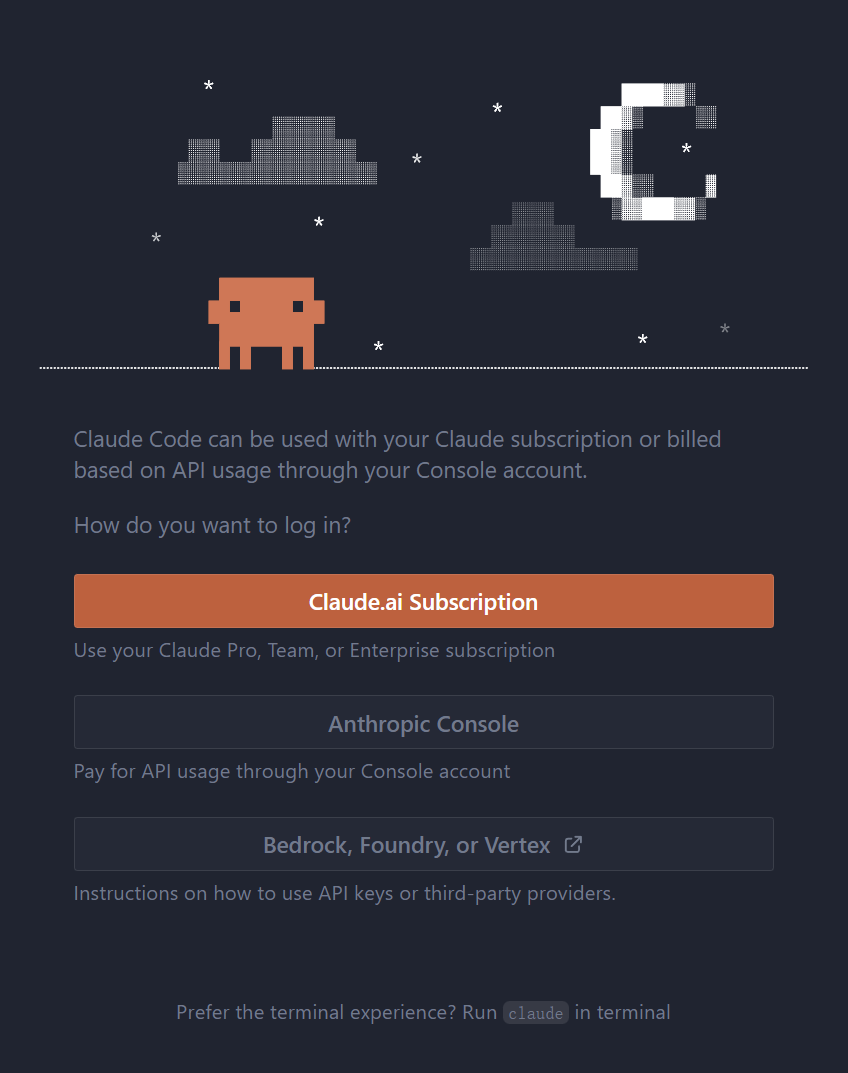
解决方法是在系统用户的此目录下创建文件 .claude/config.json,然后配置随意的primaryApiKey 内容并重启 VSCode 即可.
- Windows:
%UserProfile%\.claude\ - macOS / Linux:
~/.claude/
1 | { |
然后是配置模型和API。通过【首选项:打开设置】找到【扩展->Claude Code】然后点击“在settings.json中编辑”。然后再如下代码段中插入 ANTHROPIC_BASE_URL 环境变量:
1 | { |
参考
评论